Human-centered STEAM for Pre-K–12
Young makers design, build, code and test things that help people.
Kite is a complete, human-centered STEAM workshop platform for Pre-K–12. Every lesson and mission starts with a real person and a real need. Kids design for them, build with plug-and-play parts and code in a friendly Build Lab, while teachers and families stay right alongside.
Watch the film- 371 lessons
- 500 missions
- Plug-and-play parts
- 12 languages and growing
- Science
- Technology
- Engineering
- Arts
- Math
- Science
- Technology
- Engineering
- Arts
- Math
See it in 76 seconds
From a real need to a working invention.
Watch Sam plug in a soil sensor and code a plant helper in the Build Lab, while Ms. Rivera runs the workshop and Jordan approves the project from home. Every screen is the real app.
What happens in the film
- Every kid is a maker: they design, build, code and test things that help people.
- It starts with a real person. A class plant called Fern keeps drying out, and Sam wonders whether it could ask for water. The four human-centered design steps follow: start with people, imagine, build and test, improve, across six mission families.
- The curriculum: 371 lessons, 500 Workshop Missions, 100 per STEAM area, 12 languages with more on the way, and sessions from 45 minutes to half a day.
- Plug it in.
- No software to install, no hardware setup, no drivers or IT tickets: just plug and play. Open a browser, plug in a part, press play. It works on Chromebooks, Windows and Mac.
- Sam clicks a soil moisture sensor into port P0 of a Seeed Studio Grove shield, the Build Lab finds it and adds starter blocks, the program snaps together, and the virtual micro:bit shows a water drop and plays a reminder when the soil is dry.
- Sent to a real micro:bit, it works: Fern perks up.
- Ms. Rivera runs the workshop: she releases the Plant Needs Monitor mission, kits are matched to the parts on the table, kids check in with QR cards, Mission Control flags a help request, and she reviews the team's evidence.
- Every workshop makes the next one better: kids build and test, Kite shows facilitators the step where kids get stuck, teachers revise that step, and the next class gets a better lesson.
- At home, Jordan checks Sam's progress and approves sharing Fern's Plant Helper with the workshop group.
- Every maker welcome: 12 languages with more on the way, kid-safe, no ads. Kite, by Kids Engine. Make something that helps.
Human-centered STEAM
STEAM that starts with people
Most STEAM programs start with the technology. Ours start with people. Kite uses human-centered design principles, so children learn science, technology, engineering, arts, and math by designing for real people and real needs.
It comes from our founder's background in human-computer interaction (HCI), the field that puts people at the center of how technology is designed. The platform carries the same approach as every Kite workshop.
Step 1: Start with people
Kids begin with a real person and a real need, and ask what would help.
Step 2: Imagine
They sketch and share ideas, then choose one to try.
Step 3: Build and test
They build it with real tools, sensors, and code, and test it with that person in mind.
Step 4: Improve
They gather feedback and make it better. Mistakes are part of the design.
Missions take place in classrooms, libraries, gardens, pantries, museums and more, wherever people need a little help.
Six mission families, each about helping someone
Every one of the 500 Workshop Missions belongs to a family built around a person and a need, not a gadget.
Help everyone join in
Make a space easier for a first-time visitor.
Sense & respond
Remind the class when the plant needs water.
Signal & communicate
Build a quiet way to ask for help.
Move & deliver
Carry supplies safely across the room.
Protect & repair
Keep shared tools safe and working.
Improve shared spaces
Organize a corner so everyone can find things.
Human-centered curriculum
A library that bends to your room.
Hundreds of ready-to-run lessons and missions across every STEAM area, age-appropriate from Pre-K–12. Each one is written with human-centered design: it opens with a person and a need, and kids test their ideas with that person in mind. Filter by time, team size and how much coding you want, and find something that fits this afternoon.
People first, then parts. The same human-centered approach Kite uses in every in-person workshop shapes every lesson, mission, rubric and reflection here, so kids grow empathy and engineering together.
Our approach- 371lessonsStep-by-step and teacher-ready
- 500Workshop MissionsOpen-ended design challenges
- 100missions per STEAM areaScience, tech, engineering, arts, math
- 6mission familiesEach one about helping a real person
Flexible by design
- ⏱45 minutes to half a dayRun one quick session or stretch a mission across four.
- 👥Solo, pairs or teams of fourMissions scale to the group you have today.
- 🧩No code, optional code, or code at the centerStart unplugged, add blocks when your makers are ready.
- 🗓Ready-made programsLike an 8-week “Make Something That Helps” series for a full class.
Plug & play
Plug it in.
Watch it come alive.
Snap a sensor into a port and the Build Lab recognizes it and hands you starter blocks. Kids test on a virtual board right in the browser, then send the same program to a real micro:bit with one click. No installs, no wiring diagrams, no waiting.
- Seeed Studio Grove sensors, lights, motors and more
- Friendly blocks, with starters for every part
- Virtual board first, real hardware in one click
- No premade kit needed: start with the parts you have
micro:bit today, more boards on the way
Real parts
Click it in. No breadboards.
Grove parts from Seeed Studio snap into numbered ports on a shield for the micro:bit. The Build Lab shows every port and cable, and hands kids starter blocks for each part they add.
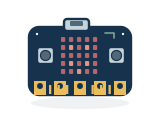 micro:bit
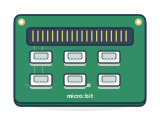 Grove shield
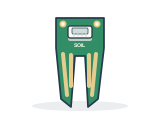 Soil moisture
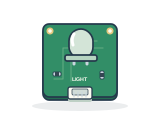 Light sensor
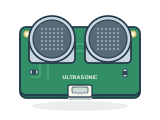 Distance sensor
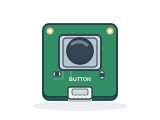 Button
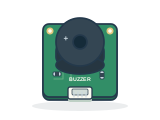 Buzzer
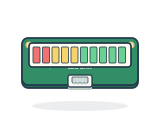 LED bar
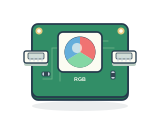 Colour LED
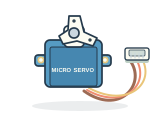 Servo motor
Free Build. Start from a blank canvas or a small starter, pick parts, code, test and save.
Group Mode. Teams share a laptop while every child still checks in on their own.
Virtual first. Test on the simulator, then send the same program to a real micro:bit.
Grove is the plug-and-play hardware system by Seeed Studio. The BBC micro:bit is supported today, and support for more boards and parts is on the way.
Workshops, made easy
Run a great session without the chaos.
Organize workshops, classes and lessons in one place. Kite handles sign-ins, kits and progress, so you can spend the hour helping kids think, whether it is one afternoon or a whole season.
Plan
Pick lessons and missions for each class, or start from a ready-made program.
Prep the kit
Tell Kite what's on your table. It matches missions to the parts you have.
Check in
Kids scan a QR card or tap a PIN. Shared laptops? Group Mode still counts every child.
Guide
Mission Control shows every team's progress and who needs a hand, live.
Review
Built, tested, explained: kind, structured feedback and a full revision history.
From one afternoon to a whole season
Kite scales with your program. Start with a single session, grow it into a weekly series, then run it across as many rooms and sites as you need, with the same human-centered missions, kits and Mission Control at every step.
- 45 minutes to half a day
A one-off session
A single Discovery Lab, a club meeting or a community STEAM day. Pick a mission that fits the time and the parts on the table.
- A few weeks to a full term
A multi-week series
Stretch missions across sessions, or run a ready-made program like the 8-week “Make Something That Helps” series. Projects and progress carry over between visits.
- One class to a whole network
Many rooms and sites
Run the same missions in classrooms, libraries, after-school clubs, camps and pop-up labs. Each site keeps its own groups and kits, and organizations see aggregate evidence across all of them.
- Classrooms
- Libraries
- After-school clubs
- Summer camps
- Community centers
- Museums
- Pop-up labs
Runs anywhere: classrooms, libraries, after-school clubs, camps and pop-up labs.
For families
Parents can check in, any time.
A calm, simple view of what your child is learning and making, with no ads, no feeds and no noise.
- See progress at a glance. Missions, lessons and creations, with what's next.
- Approve what gets shared. Projects stay private until you say who can see them.
- Stay in control of privacy. Permissions and consent history in one place.
One platform, everyone in the room
A view built for each person.
Designed around the people who use it: kids from Pre-K–12, teachers, facilitators, families and organizations each get the tools they need, and only the information they should see.
Kids
Pre-K–12
- Sign in with a QR card or PIN, no email
- Missions, lessons and Free Build in one place
- Projects stay private until a grown-up says share
Teachers
Classrooms and clubs
- Plan with ready-made lessons and programs
- Release missions to a class in one click
- Review evidence and give structured feedback
Facilitators
Live workshops
- Check in every child, even on shared laptops
- Mission Control shows who needs a hand
- Open Free Build for everyone or chosen groups
Families
At home
- A calm view of progress, no feeds
- Approve exactly what gets shared
- Permissions and consent history in one place
Organizations
Programs and partners
- See aggregate workshop evidence, privacy first
- Set privacy and accessibility policy
- Connect rosters with reviewed mappings
Kid-safe from the very first block.
- No ads and no behavioral tracking. Ever.
- Kids sign in with a QR card or PIN: no email needed.
- Projects stay private until a grown-up says share.
- Clear roles for kids, teachers, families and coordinators.
- Designed with people, for people: human-centered from the start.
Every maker welcome
Speaks 12 languages
Kids can learn in the language they dream in, and switch any time, including right-to-left languages. More languages are on the way.
12 today, more on the way
Who is Kite for?
Kids from Pre-K through Grade 12 in guided, human-centered STEAM workshops, and the teachers, facilitators, families and organizations around them. Activities are age-appropriate, and it works in classrooms, libraries, after-school clubs, camps and pop-up labs.
What makes it human-centered?
Every lesson and mission starts with a real person and a real need. Kids learn science, technology, engineering, arts and math by designing for that person: they imagine, build and test with them in mind, then improve from feedback. It is the same approach Kite uses in every workshop, rooted in our founder's background in human-computer interaction.
Do we need to buy a kit first?
No. The Build Lab runs a virtual micro:bit right in the browser, so kids can code and test before any hardware arrives. When you have parts, tell Kite what's on your table and it matches missions to them.
What hardware does it work with?
Today, the BBC micro:bit with plug-and-play Grove parts from Seeed Studio: sensors, lights, sound, motors and more click into numbered ports with no breadboards or wiring diagrams. The same program runs on the virtual board and the real one. Support for more boards and parts is on the way.
Can it grow from one workshop to a full program?
Yes. Run a single 45-minute session, a half-day lab, or a series that runs for weeks, like the 8-week “Make Something That Helps” program. The same missions, kits and Mission Control work for one class or many sites.
How much coding do kids need?
None to start. Missions range from no code, to optional code, to code at the center. Kids use friendly blocks, and every part comes with starter blocks.
Can teams share one laptop?
Yes. In Group Mode a team builds together on one device while each child still checks in on their own, so attendance stays accurate.
How is kids' privacy protected?
No ads and no behavioral tracking. Kids sign in without an email, projects stay private by default, and a parent or guardian approves anything that gets shared.
Ready to make something that helps?
Jump into the Build Lab right now, or sign in to plan a workshop, pick up your mission, or check in on your maker.